Send SMS to Device
The Send SMS action is available for:
- Single SIMs from the SIMs table
- SIM on the SIM Info page
To send a text SMS to a device., do these steps:
- Select SIMs from the sidebar menu.
- Scroll the table of SIMs and click the Actionscontrol for a selected SIM.
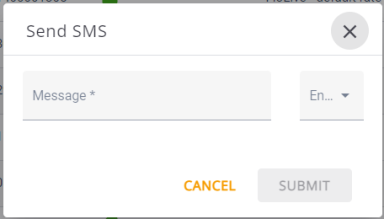
- Select Send SMS to display the Send SMS dialog box.
- Type your SMS message in the Message field.
- Click Encoding and select the desired message encoding, GSM-7 or UCS2
- Click Submit to send the message.
A screen capture of the Send SMS dialog box is shown here.
TIP: The Send SMS operation can be tracked when you View Notification Logs.